Unblock websites
Open blocked or restricted websites from a browser designed for quick access.
 Unblock Site
VPN proxy browser for Android
Unblock Site VPN Proxy Browser helps you open restricted websites, browse privately, and switch proxy locations from one simple Android browser.
VPN Proxy Browser
Download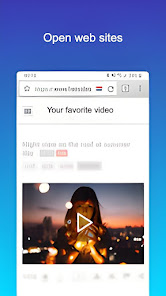
A lightweight browser experience focused on fast proxy browsing, website access, and easy location switching.
Open blocked or restricted websites from a browser designed for quick access.
Use proxy locations to browse with more privacy on WiFi, LTE, 4G, and 5G networks.
Install the app, open the browser, and start browsing without manual proxy settings.
Switch proxy locations including United States, Germany, France, Netherlands, and more.
Use Unblock Site as your Android VPN proxy browser when you need a simple way to open websites, browse privately, and switch proxy locations without changing system settings.
Install a proxy browser, choose a proxy location when needed, and open the website inside the app.
A proxy browser routes browsing through proxy servers, helping access restricted pages and adding a privacy layer.
No. The app is designed to work without changing Android proxy settings manually.
Yes. You can download Unblock Site VPN Proxy Browser from Google Play.